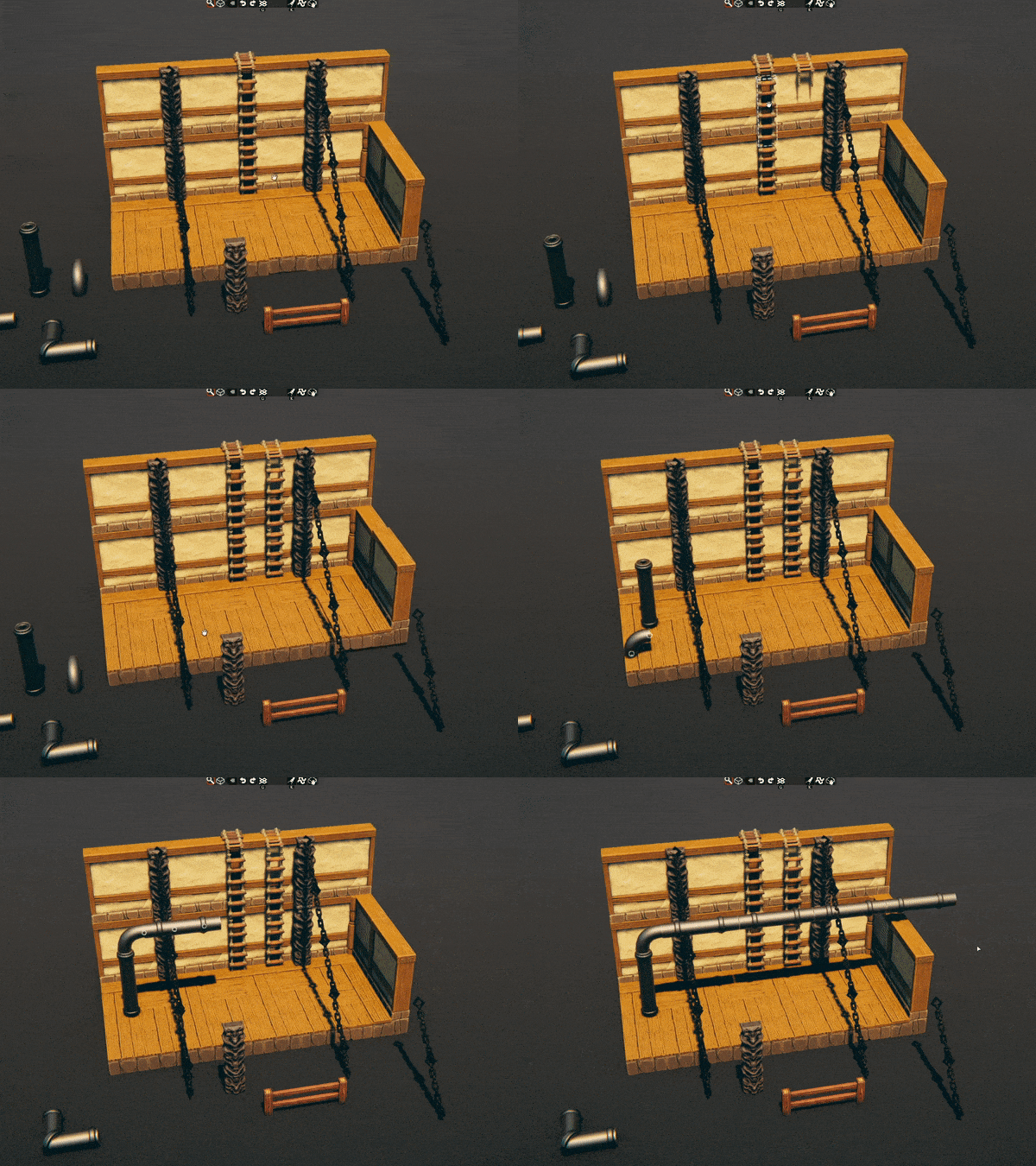
While working on the Ship Tile-Set, we realized that rope and sails are tricky to line up. So as an experiment, we've added attachment points. We'd love to get some feedback on this feature.
We've done a substantial refactor to Asset data and structure. This is part of a rewrite to pave the way for official modding support. It has likely affected unofficial Mods, and we'd like to give creators time to update Mods if necessary.
The BETA Branch will be up for a week before we push these changes live.
Q: Who is this BETA for?
You want to check out "Attachment Points" to give us feedback on the feature and to help check for bugs
Are you running Unsupported MODs or Creating them? This will allow you to test your MODs prior to the next official release.
If that is you, then feel free to continue:
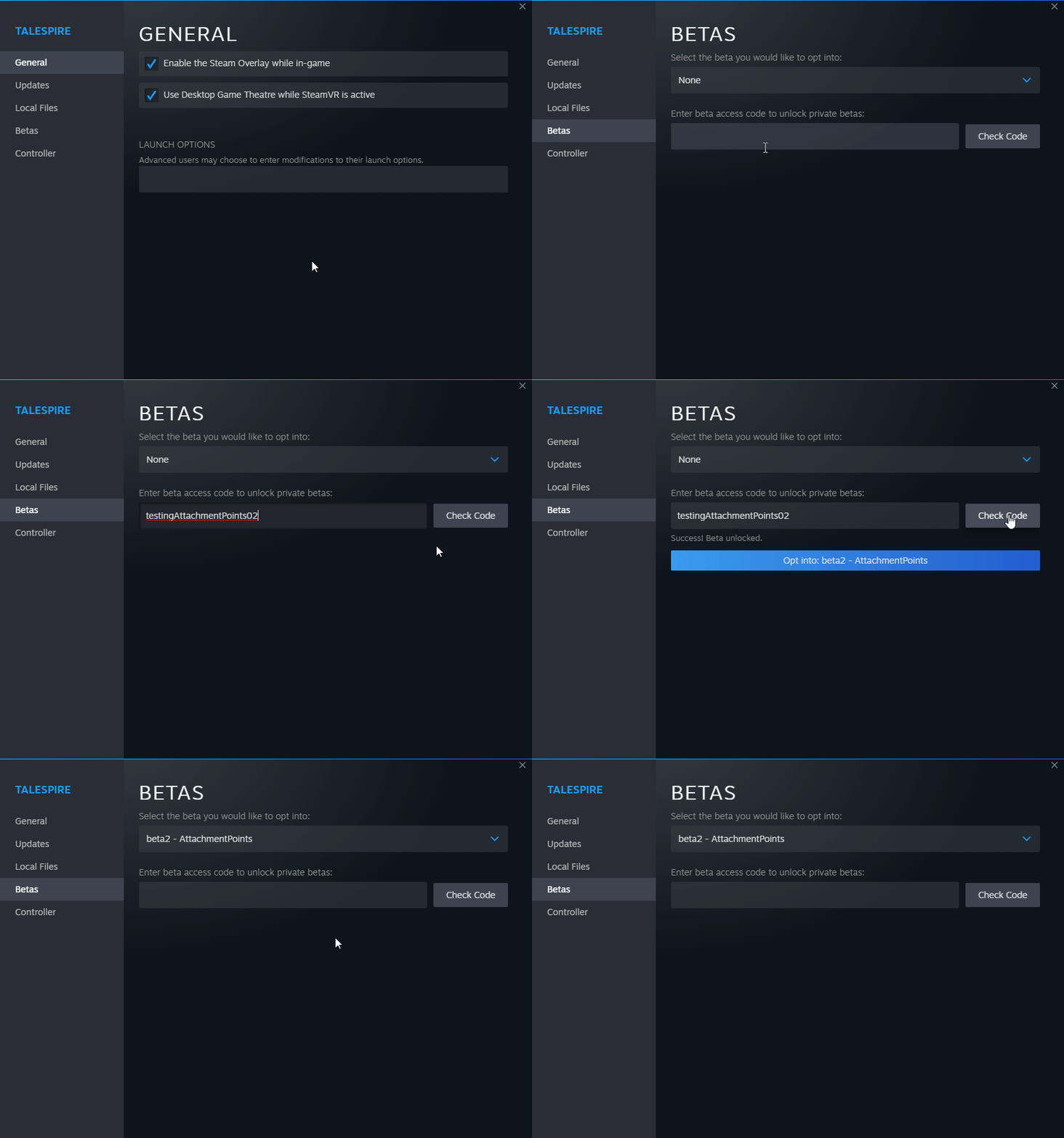
You can access the Branch by inputting the beta password: testingAttachmentPoints02 into Steam TaleSpire Properties. This will allow you to opt into beta2 - AttachmentPoints.
Attachment Points
To test it out:
Go to Props in the Asset Library.
Find things like chains, fences, pipes, etc. (not all props have attachment points)
Place a prop.
Hold [x] and try placing another Prop. See the preview of where it will attach.
If you find bugs or have general feedback on this feature, please post it on our feedback page: Here
We've created a board specifically for this Beta.
The substantial Refactor
Just repeating this: We've substantially refactored Asset data and structure. This is part of a rewrite to pave the way for official modding support. It has likely affected unofficial Mods, and we'd like to give creators time to update Mods if necessary.
Thanks for reading and testing!
Till next time!
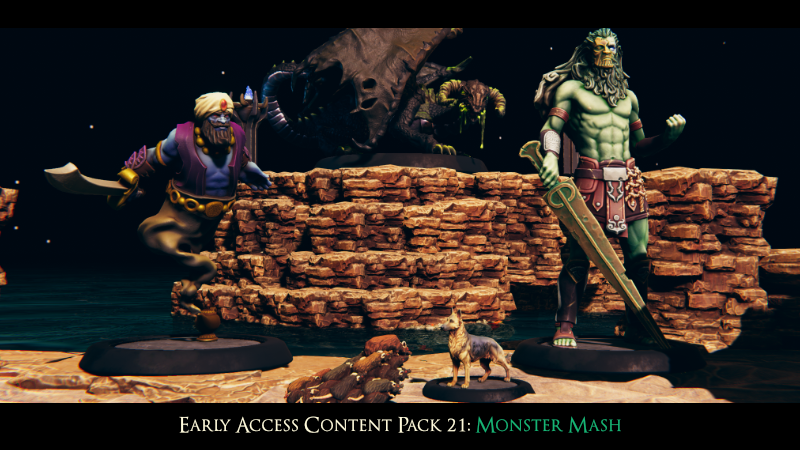
Early Access Content Pack 21: Monster Mash
From the crashing waves of the raging sea to the shifting sands of the scorching desert, a new batch of monsters makes its way into TaleSpire!
This pack contains the following new minis:
Storm Giant
Djinni
Swarm of Rats
German Shepherd Dog
Swamp Dragon
Other additions and changes:
6 new bare purple crystals
Changes to the crystal material (cooler-looking!)
Update on Ship Tileset: We're just about done with work on the tiles, props, and minis for the Ship pack. After that, we have a bit of testing to do before we get it into your hands. Stay tuned!
We're pushing the recent Beta branch into Live today, enabling Resolution Scaling/Scene Scaling.
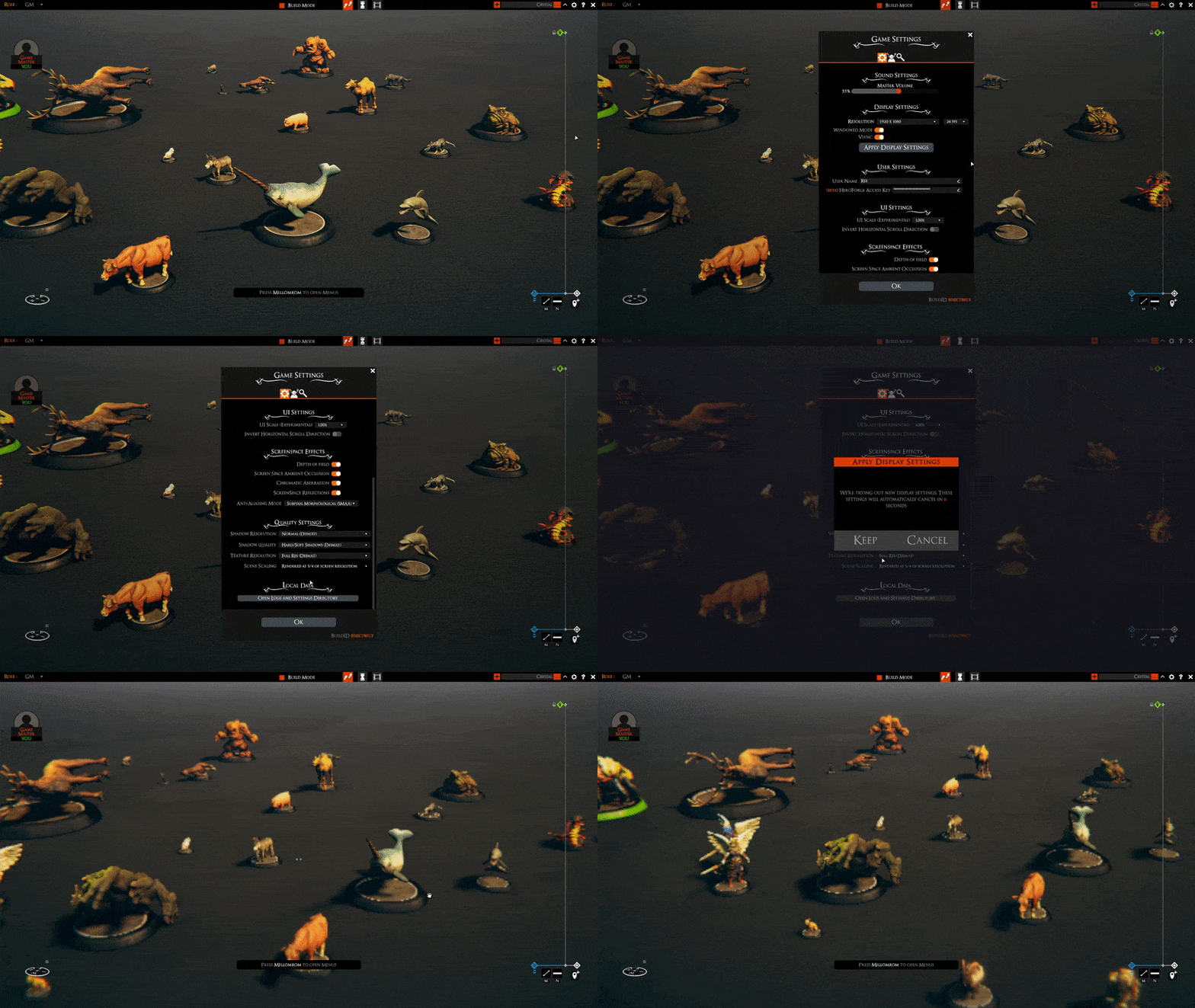
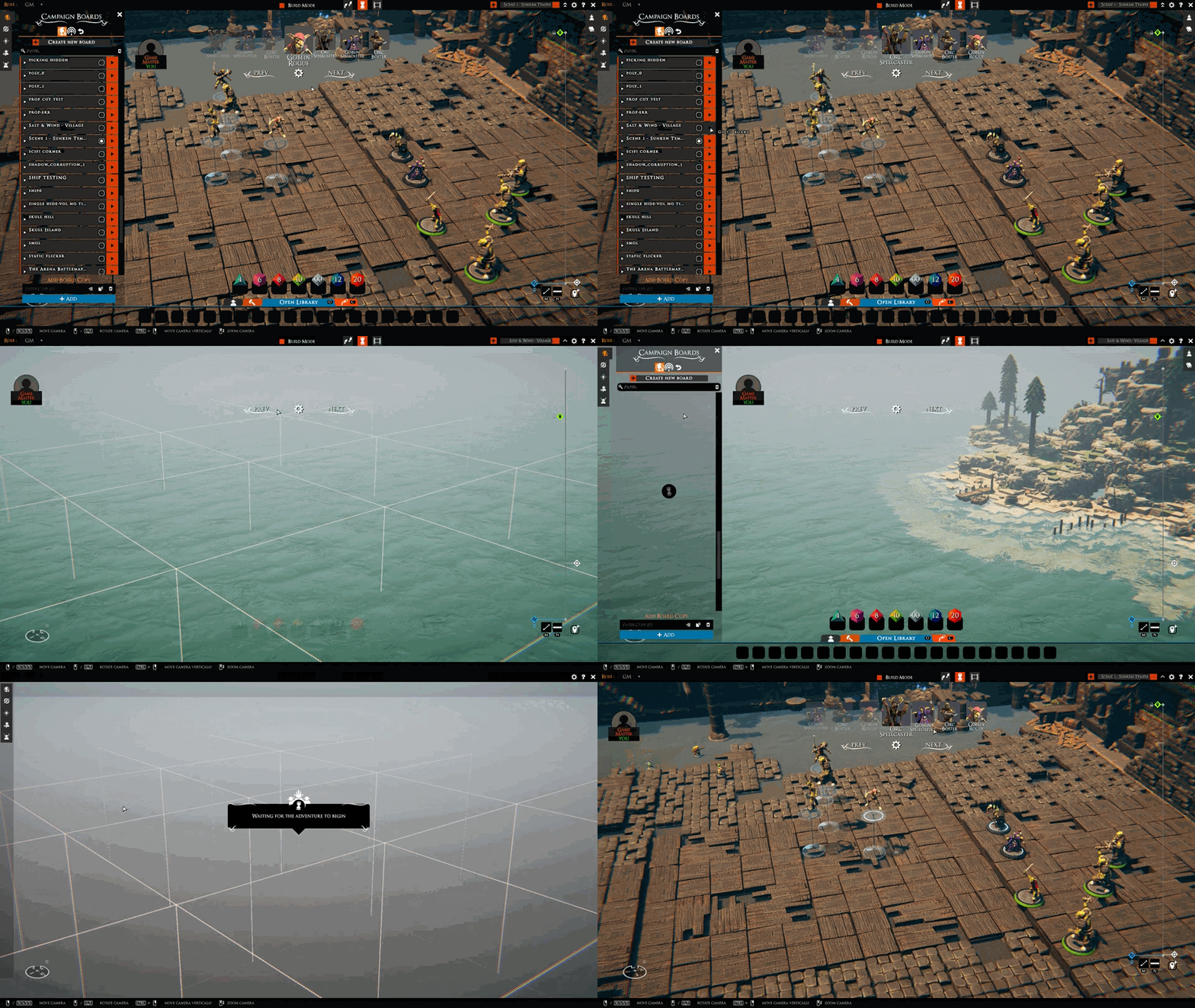
This is the ability to scale the Game's rendering resolution to keep the UI nice and crisp. Setting the Scene Scale value will allow you to run the game UI at Native Screen resolution while running the heavy calculations of the Game Viewport in a reduced resolution.
Lowering the Scale can help with performance when using larger monitors and helps pave the way for Symbiotes and Mod support via custom-sized GameViewports.
The Game Resolution scaling setting can be found under the Settings Menu as seen in the GIF above.
In addition to the Scene Scaling, this build also contains some other fixes:
Fixed where dragging out multiple singular walls would not drop where expected.
Fixed where placing a flying Unique Creature would drop it through tiles to the Ground Plane
Fixed where UI_FloorControllers would get a null exception when switching campaigns.
Till next time!
BUILD-ID: 10532412 Download Size: 19.3 MB
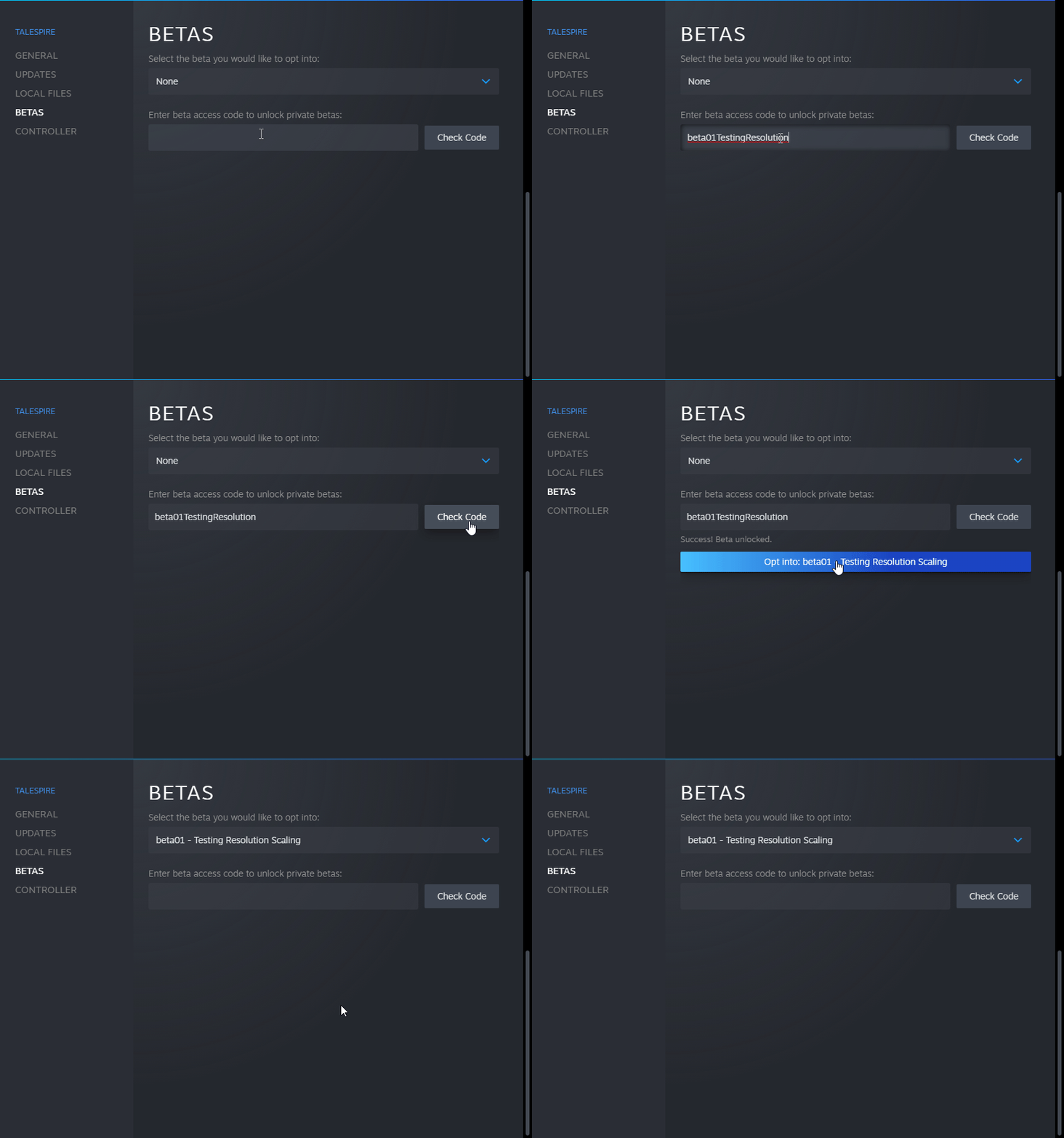
BETA Branch: Resolution Scaling/Scene Scaling
We've recently implemented the ability to scale the Game's rendering resolution to keep the UI nice and crisp. Setting the Scene Scale value will allow you to run the game UI at Native Screen resolution while running the heavy calculations of the Game Viewport in a reduced resolution.
This should help with performance when using larger screens and helps pave the way for Symbiotes and Mod support via custom-sized GameViewports.
Because this change affects a large part of the codebase, we decided to post this to a BETA branch. Any MODs which deal with UI to Worldspace Transformations are likely to be affected.
Unlike some other BETA runs, this BETA uses the live servers, as no Server-Side changes are being made. So anything you build, edit and play with will remain once this BETA goes into the Default Live Branch.
Q: Who is this BETA for?
You want to check how Resolution Scaling / Scene Scaling works on your system and help find bugs.
Are you running Unsupported MODs or Creating them? This will allow you to test your MODs prior to the next official release.
If that is you, then feel free to continue:
You can access the Branch by inputting the beta password: beta01TestingResolution into Steam TaleSpire Properties. This will allow you to opt into Beta01.
Game Resolution scaling, aka Scene Scaling:
The Game Resolution scaling setting can be found under the Settings Menu
Set the Scene Scale to a fraction value to test how it affects MODs. If you find any bugs not related to MODs please post them over at the feedback site.
In addition to the Scene Scaling, this build also contains some other fixes:
Fixed where dragging out multiple singular walls would not drop where expected.
Fixed where placing a flying Unique Creature would drop it through tiles to the Ground Plane
Fixed where UI_FloorControllers would get a null exception when switching campaigns.
Thank you all for checking out this beta, and we'll be pushing this to a full release once we're confident any major bugs on our end are ironed out.
Have a good one!
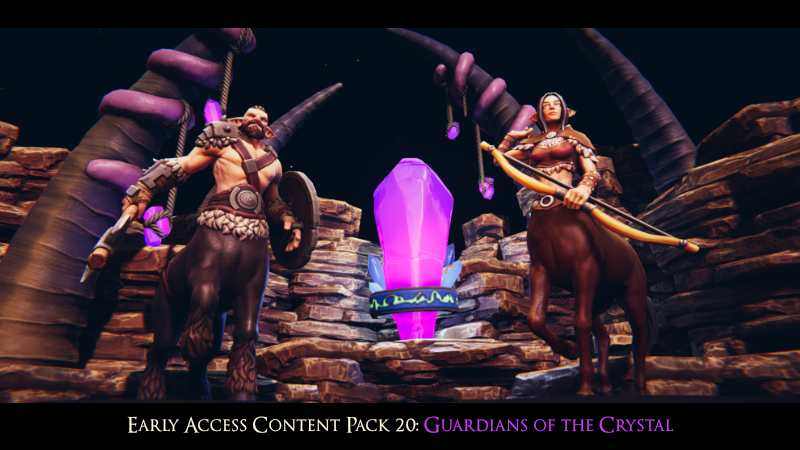
Early Access Content Pack 20: Guardians of the Crystal
Greetings TaleSpire community!
We're kicking off this year's content releases with the Guardians of the Crystal - a pack containing the following assets:
2 Centaur minis
Reverse Centaur mini
2 Birdfolk minis
French Bulldog mini
Misc. Crystal props
More Weapon props
Fixes:
Deprecated Vertical Fire Escape Ladder has been re-added as a prop
We hope you enjoy the new stuff - and thanks, once again, for supporting the project!
BUILD-ID: 10350168 Download Size: 71.1 MB
Crosspost: TaleSpire Dev Log 368
It's been a while since we linked the dev-logs here and I think this one might be of interest to a bunch of you.
In the last dev stream, we stated that we would start our foray into mods by making an official slab repository (along with an API for community-run sites to hook in too). This gives us some experience using mod.io's API. As of a few days ago, I had this bit working:
Since then, I've worked on the manager that handles downloading and caching slabs. It's coming along well.
While I expect UX for creature, tile, and prop mods to be similar to our HeroForge integration[0], I think slabs should behave slightly differently. Rather than needing to link/subscribe to a slab to use it, I want you to be able to simply search, then click the icon to spawn the slab. If you want easy access, you can bookmark it to save the slab to your library for future use.
The way things are looking, I should have the manager working mid-week, at which point I'll switch to working on the in-game slab uploader. Woop!
Right, that's all from me for now.
Ciao.
Disclaimer: This DevLog is from the perspective of one developer. It doesn't reflect everything going on with the team
[0] And also share a lot of the same code
Building bug-fix release
Hey folks,
We're back again with a couple of fixes related to building.
First, we fixed a bug that stopped players from building rotated tiles in the same spot without first placing a tile elsewhere.
We then squashed a bug where trying to delete a single tile could delete multiple if those tiles were in the same spot.
Both bug reports were community submitted, so a big thanks to you all for letting us know!
Until next time.
Feature Release - Persist the initiative list
In this patch, we have begun saving the initiative list between sessions. No longer do we have to set up everything when returning to battle.
Thanks to everyone who voted for this on the feature request board. It's just the start of our improvements to turn-based mode, but we are happy to be making this step.