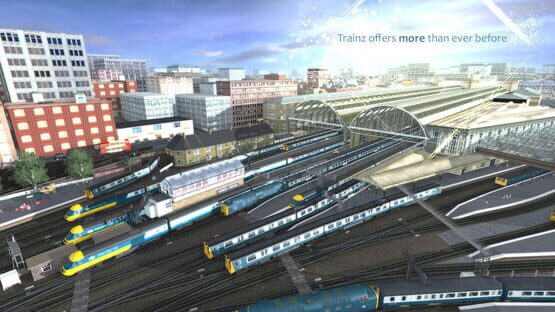

Trainz: A New Era
Trainz Hits the Canadian Rockies!
Check out the most scenic route ever released for Trainz...over 2,000 square kilometers of majestic mountains, winding waterways and prototypical rail operations. This route is sure to become a favorite with all North American rail fans.
Here's the trailer link... and here's the store page link...
"Hotfix 4" Update released
This latest version delivers more stability, more fixes and a bunch of optimisations.
You can get all the details from the Trainzportal News page.
FREE Niddertalbahn Route now available
Click on this link to find out more.
You can also purchase additional content and sessions including:
Each of these add-ons provides high quality rolling stock jam packed with features such as a choice of weathering, loading options, unique numbering and much more.
Latest Update for Trainz A New Era now Live
This update has a range of enhancements including:
<*> Dynamic Shadow updates
<*> Speedtreee leaf shadow updates
<*> New Picklist feature in Content Manager and Surveyor
<*> You can now toggle Nav Point visibility
<*> External Camera now remembers last zoom length, direction and FOV setting
<*> Increased the polygon detail of the skybox (no seams showing)
<*> Save in Surveyor no longer stops sounds from playing
<*> Rulers now follow terrain when it is modified
<*> Crossing labels now have their own toggle on minimap
<*> Can now zoom in much closer in dedicated minimap mode
<*> Routes Menu now correctly scrolls to selected route in long lists
<*> All engine specs can now be replaced using Surveyor Properties
<*> Previously selected item in Surveyor now remembered for each object listing
<*> Disabled content will not show in the routes or sessions menu
<*> Unknown Assets in CM now have "Copy" command enabled
<*> Game no longer resets AI train priority on game save
<*> List Asset versions now available for 'unknown' assets
<*> Keyboard hotkeys updated in Content Manager
<*> Shadows on meshes which are attached to "non-cabs" disabled by default
For new users, please note that you will need a DX11 capable graphics card, and that upon first start-up there is a delay of 5-10 minutes while various game elements are built.
TANE SP1 HF3 Beta Now Available
If you would like to take a look at the latest update, follow these steps:
* Right Click on Trainz A New Era
* Select Properties
* Select the Beta Tab
* Enter the access code: TANESP1HF3Beta
* Click Check Code
* In the drop down box above, select TANE SP1 HF3 Beta
* Your build will now update (50MB patch only)
If you have any bugs you would like to report, please visit our support page at:
https://support.trainzportal.com/index.php?/Troubleshooter/List
Mojave Subdivision DLC Released
We hope you enjoy this route along with taking the following locos for a drive:
<*>ATSF C30-7
<*>ATSF GP60M
<*>ATSF GP60B
<*>SP SD45
<*>SP SD40T-2
<*>ATSF SD45
<*>ATSF B40-8W
There are four structured sessions included with the route ($24.99 for everything) plus "Quickdrive" where ou can place your own locos, and create your own interactive gameplay sessions.
For a more realistic session using dynamic brakes and full cab controls, just click on the User Rules Menu at the top, choose Quickdrive and change to Realistic Mode.
The route will appear in-game for download after your purchase. (You may need to restart the game for it to appear).
"Service Pack 1 Hotfix 2" update now live.
This update resolves the issue.
If you have experienced any map corruption issues this week, then a backup copy of your route most likely exists in the backups folder of your local data folder. This Knowledge Base article [https://support.trainzportal.com/index.php?/Knowledgebase/Article/View/97/0/reinstalling-or-restoring-a-backup-version-of-your-content] explains how to restore your backup copy and avoid losing any data. You should also have your own backup scheme in place in case all data is lost due to hardware failure etc.
NOTE: Corrupted maps will not be repaired by this update. You will need to restore a backup copy to recover any lost work.
IMPORTANT PATCH INFORMATION:
Please allow the database repair to fully complete prior to opening Content Manager or the TANE game window.
Once your patch has completed, you will see the engine startup window which generally takes a few minutes (this is rebuilding shaders that have changed for reflections etc).
Then the db repair takes ~10 minutes (depending on your hardware and size of the installed content which may take much longer).
Until this db repair is complete, you will most likely have empty menus or data corruption issues which may even remain empty even after the db repair has finished unless you restart TANE
TANE Service Pack 1 Hotfix 1 Update now LIVE!
Here is the full changelist for SP1 HF1 (build 81185 for PC, 81213 for Mac)
- Fix - Decoupling any train can cause it to be added to an Interlocking Tower path
- Interlocking Towers> Add the concept of conjoint paths, where a path exit signal is also used as an entry signal to another path. Specifically:
- Lead-in conjoint paths will never alter the state of the exit signal
- Lead-in conjoint paths will show the exit signal state as "Automatic" in the edit helper, not allow it to be edited and show a special tooltip
- Conjoint paths will not treat each other’s entry and exit signals as conflicting
- Major improvements to shadows:
- Significant reduction of shadow “flickering”
- Improvements to attachment of shadows to the base of trees at all angles
- Shadows on train cars less affected by asset LODs
- Added new Medium shadow option (Low plus Terrain shadows enabled)
- Driver Command GUI does not reappear after closing Train Tab
- Crash fix for "carz" (surveyor roaming)
- In cab camera control option (freeintcam) added to General Settings
- Bulk replace tool optimised
- Bulk replace tool no longer pauses using "current section only"
- Bulk replace shows progress bar for all 3 area options
- Edit session no longer forgets driver commands on reload
- “Repeat” driver command saves in Save Game (and reloads)
- Creating a new consist is now much quicker
- Save filter in Surveyor now saving correctly
- Numeric input allows backspacing and copy/paste
- CTRL-F properties box correctly populated on opening
- The camera icons shown on the menu bar now match the list
- Can now save all settings in multiplayer rule
- Users can rejoin correctly after being kicked out of a MP session
- Map Display Option Keys in Driver no longer hidden by Score interface
- Increased font size for gradient figures in mini maps
- Additional Minimap / 3D alignment fix with Heightmap option (for very hilly areas)
- Mini Map in Surveyor and Driver remembers the Map Display Options settings
- Compass shows and hides using "show compass in 3D view" toggle
- Surveyor properties more reliably undoes changes on cancellation
- Disable / Enable Content button now toggles correctly
- "Edit Session" default size no longer fullscreen and window size is remembered
- Interlocking tower user selection icon shows in Driver when required
- "Dependants" and "Dependencies" filters changed to “Dependants Include” and “Dependencies Include”
- Calendar has correct dates for 2016
- F6 key in driver hides the driver commands and does not reappear at industries
- 'Hide messages' is now the default option
- Train Tab properties tool no longer brings up 'ctrl + right click' tooltip in Driver
- Edit Route now prompts for correct save route/sessions options based upon edits
- Last route edited now selected in Route Menu
- Updates to featured asset for Routes Menu
- Surveyor reloads to saved position
- Performance preset icon in Driver reflects current state
- Steam loco cannot suddenly reverse direction
- Material naming validation improvements
- Crossing assets will now post a "Crossing","StateChanged" message to script when their internal state is changed
- MOVehicle animated bell support playing on startup
- FXText font rendering now similar between TS12 and T:ANE
- Fixed a case where trackside objects with custom properties would not show those properties in the Surveyor property edit dialog
- Constructors.NewImage(); now returns an image
- MOsignal with 4.2 or higher now showing signal lights in game
- Text in Trainz Settings window not clipped
- Fix - Opening Test Track twice causes TANE to lock up
- New engine specs can be created for payware in testtrack
- Added a "current drawn" stat to Testrack to measure amps
- Pausing no longer affects ammeter readout
- Made some adjustments to power to correct Ammeter display
- Several Healesville loco animation level of detail updates
- Floating scenery brought down to earth in Bidye Traction Railroad
- Added Draw Distance Cap (can be set in Edit Route and overriden by users)
- Loading passengers and goods under AI control now more reliable
- Fix in multiplayer where only the host can pick up any cargo from industries
- Fix Minimap / 3D misalignment
- Fix issue where jumping to minimap lock would have the terrain position out of sync
- Fix some issues with synchronisation of world/minimap views when rotating or zooming
- Fix "Freeze" where CM would freeze for a long time when right clicking
- World Origin lat/long updates no longer overwritten by region co-ords
- Prevent route/session deletes in the menu from hanging the menu
- Updates to Steam build to ensure DLC downloads correctly
- Update the edit session dialog to remember it's position and size on close and reopen
- Background fixes to Asset DB
- Fix a memory leak or potential game crash when closing the game window while editing properties in Surveyor.
- Fixed an issue where the skybox rendering cut off with a hard edge when viewed in a water reflection.
- Fixed Track Objects now attach correctly
- Corrected m.reflect so that it visually matches TS12 (may also impact other sphere-mapped materials eg. ts12bumpgloss)
- Fix misspelling of "Camera interal"
- Bulk Replace tool now allows “In Selected Area” marquee tool
- Fix asset thumbnails that could get stuck in a download loop
- Possible fix for a scenario where speedtree loading was reported to hang
- Optimise the removal of ground holes to improve map unloading time
- Surveyor Picklist remembers items after saving
- Various build and installer changes and fixes
- Various potential crash fixes from user-submitted crashdumps
- Added Compact Route option
Achievements now LIVE on STEAM
We hope you enjoy seeing your progress on the Steam Client and in-game.
Massive Update Released
We have added new functionality including Interlocking Towers to control sets of signals and junctions, new Surveyor tools such as bulk-asset update options in Surveyor and of course improved performance and stability across the board.
We've come a long long way since the first "Community Edition" release and the groundswell of community feedback indicates we have unleashed the full potential of the new era of Trainz.
We will continue working with our community to bring you updated content and new features to enhance the Trainz "hobby" even more.
For this “SP1” update, there are almost too many individual updates to list, so we’ve narrowed down the improvements to the following highlights:
Improved Performance and Stability across the board
Smoother graphics with new Vsync options
New Interlocking Towers feature
New Bulk Asset Replace feature in Surveyor
New Performance Presets on the MenuBar
Updates and optimisations for dozens of systems
Over 500 Bug and Crash fixes in total