

Voxel Tycoon
Update 0.87.3.1 beta
— Devices UI updated to support complex recipes with more than one output
— Fixed electric locos keep playing engine sound on non-electrified rails
— Fixed electrification tool highlight may stay after tool deactivation
— Fixed custom category icons are rendered blue
— Modding: recipe asset changed to support more than one output, also output probabilities can be set
— Modding: Added support for modding locales, names, and currencies
— Modding: Fixed error when generating palette for empty.obj
The Minor Update
But before we will dive into what's inside, please welcome our new full-time team member: @DarkMajesty 🎉
He joined us just two months ago and actually made this update real! While we continue working on long-term tasks like Rails and Roads Rework (also known as RRR) and Contracts Update, we finally have someone who can back us up and help to fill the void between those major milestones.
Alright, now let's get back to business!
Gameplay changes
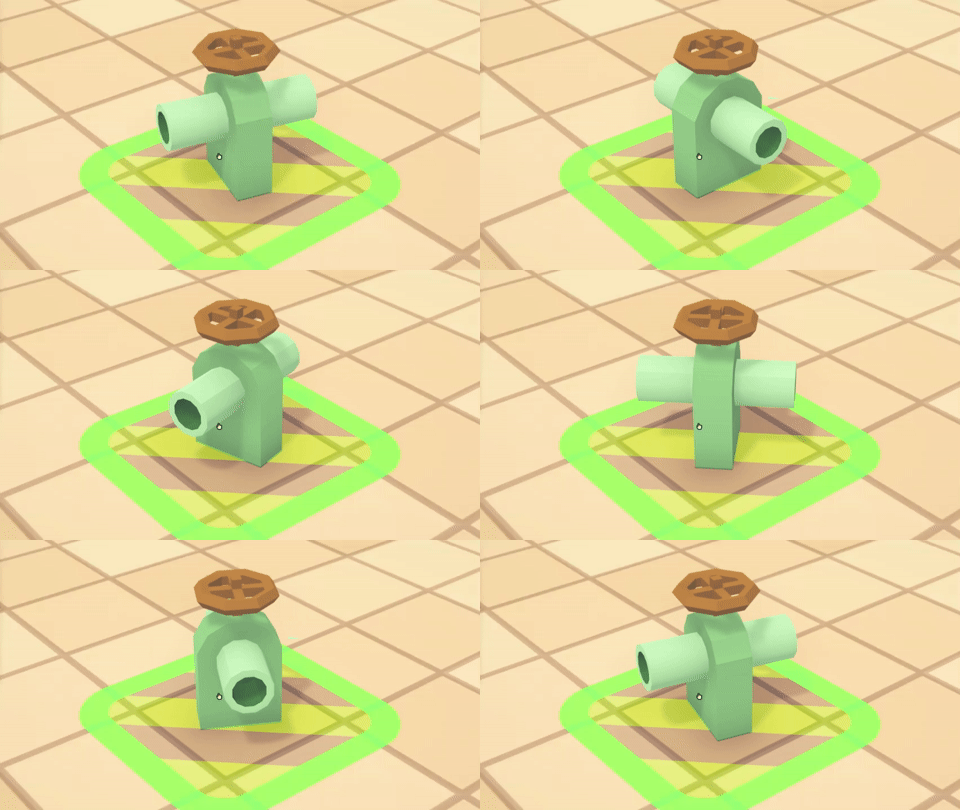
Devices now have predefined input and output directions
Device inputs and output directions are now predefined and can't be changed. This should help new players, as well as raise some challenges to experience players when planning their setups. Let us know what you think!
Get creative!
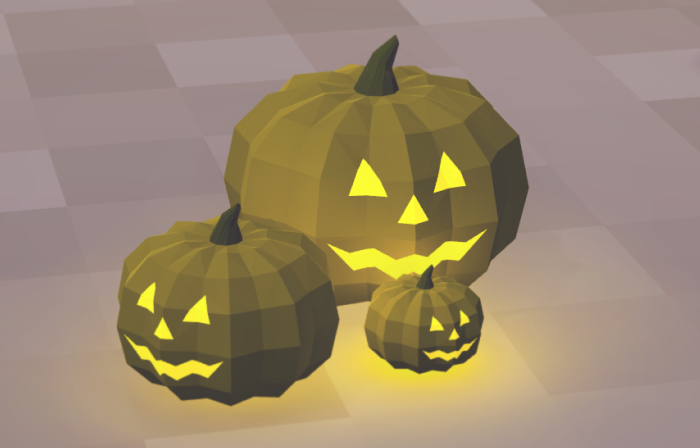
We are still getting amazed by the creative ways you use decorations to build your beautiful worlds. To free your creativity even further, this update unlocks new degrees of freedom when placing your decorations.
The rotation is no longer fixed to 90° angles.
You can now scale decorations both up and down.
To help you properly align your creations, you can now change the world grid step in settings (10 by default):
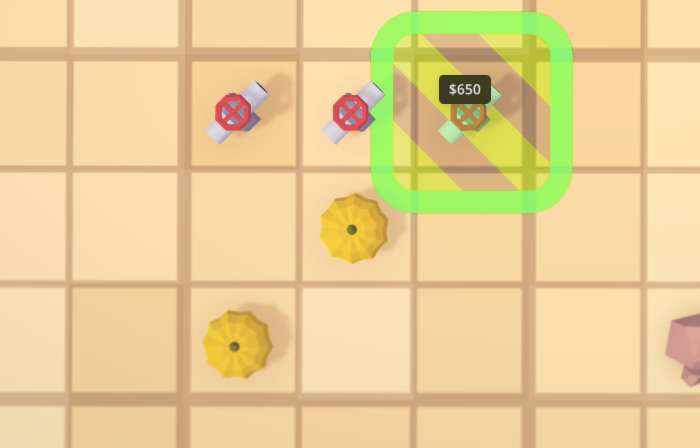
Grid step set to 3
City rename price
Many of you complained that option to rename cities was a bit pricy. We wanted to make renaming a city an achievement, but it become clear that many of you just want to name a city, not a big deal after all!
Also, our algorithm for deciding the price goes a bit crazy over time:
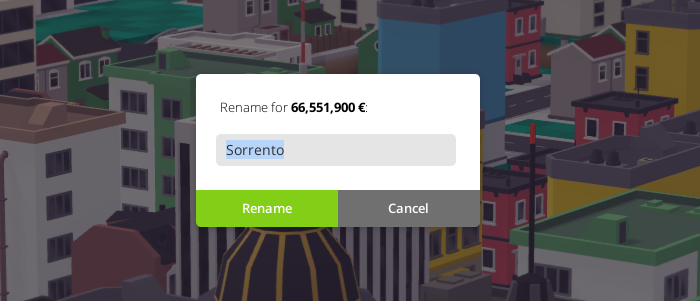
The exact amount of 'game dead' comments we receive every day
So, prices were greatly reduced and made more predictable. But don’t get too comfortable: one of the future updates will bring a company rating, and we plan to tie the ability to rename cities to the level of approval of your company in that exact settlement.
Mixed trains
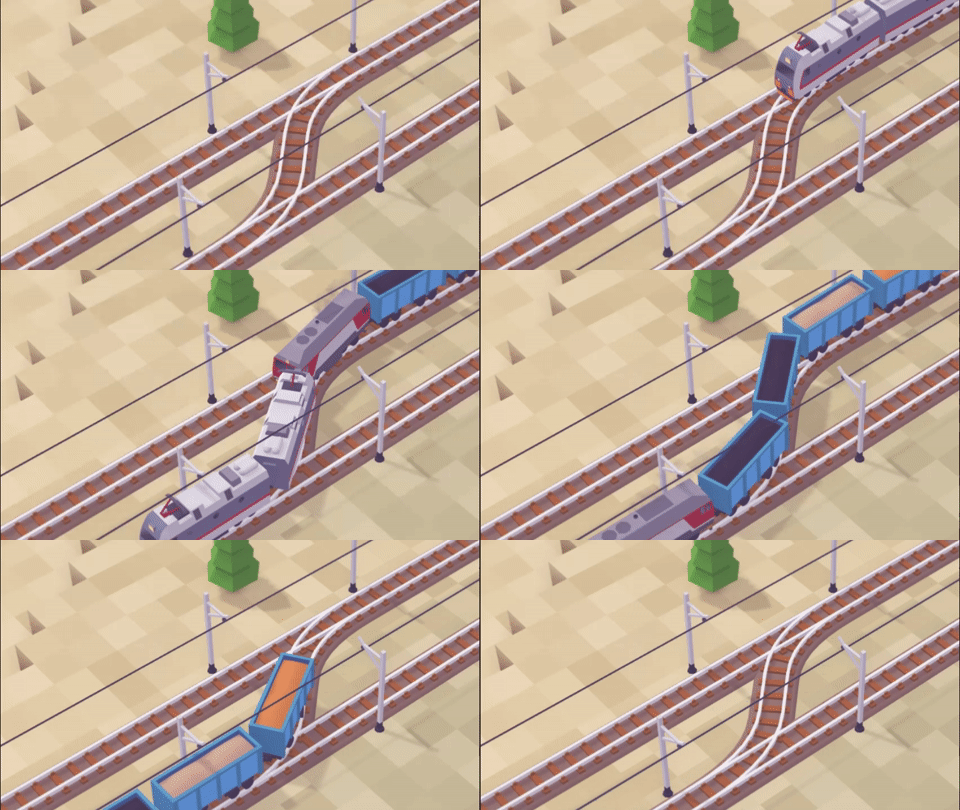
The game now properly supports trains consisting of both electric and steam/diesel engines. Before, such trains could not pass the non-electrified part of the tracks.
Builder palette rework
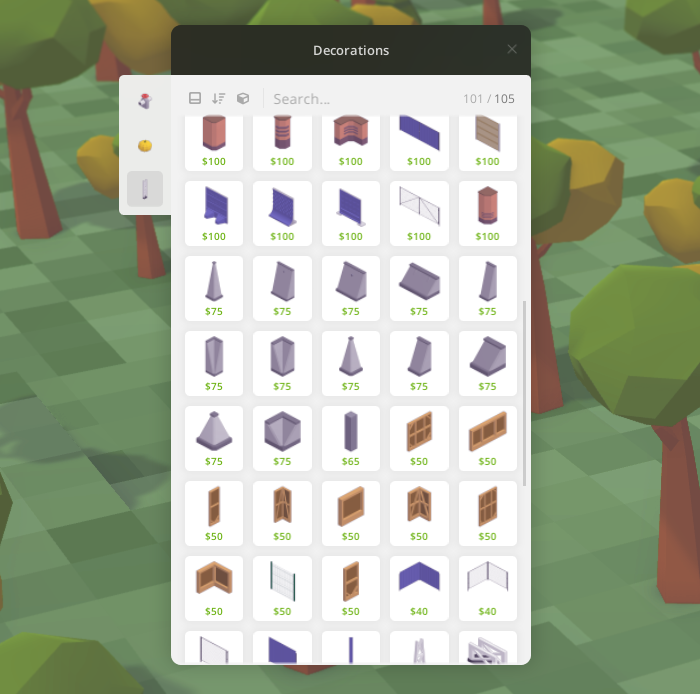
When you play with many mods, navigating the builder palette quickly become a complicated task. This is especially true for decorations:
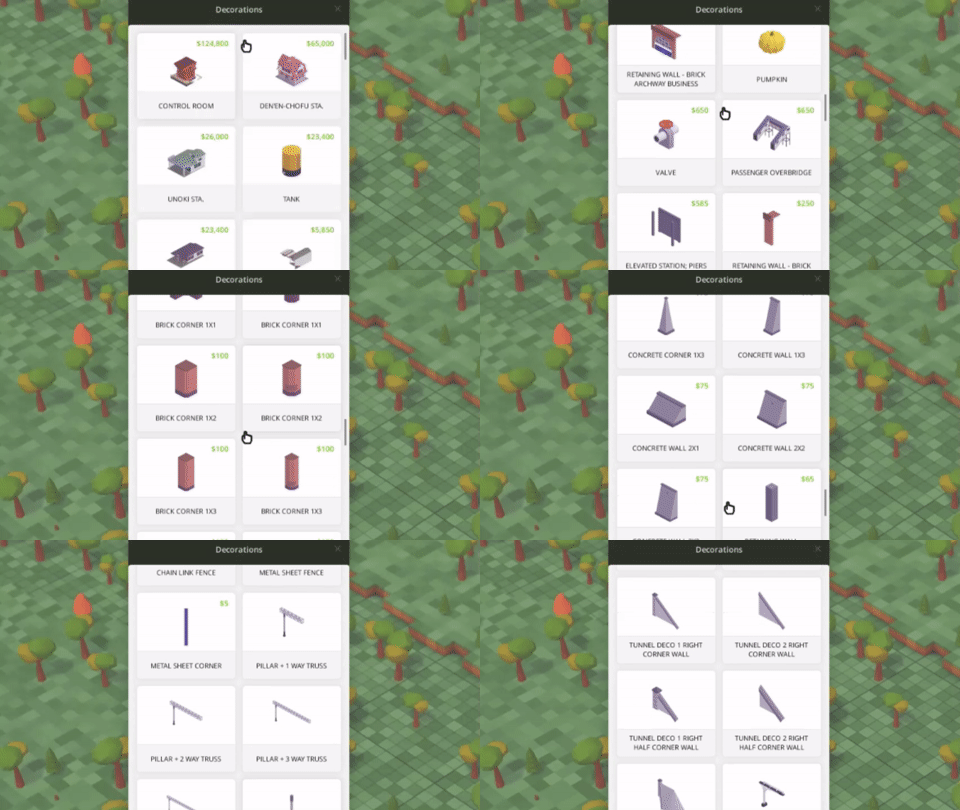
To help you with that, we've completely reworked the builder palette.
Now, buildings are split into categories, which you can navigate on the left of the window.
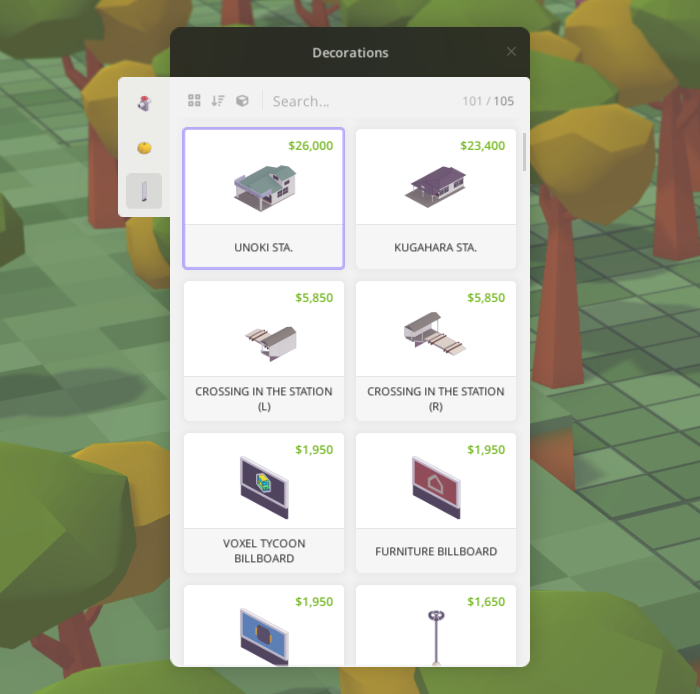
Modders can use built-in categories or create their own.
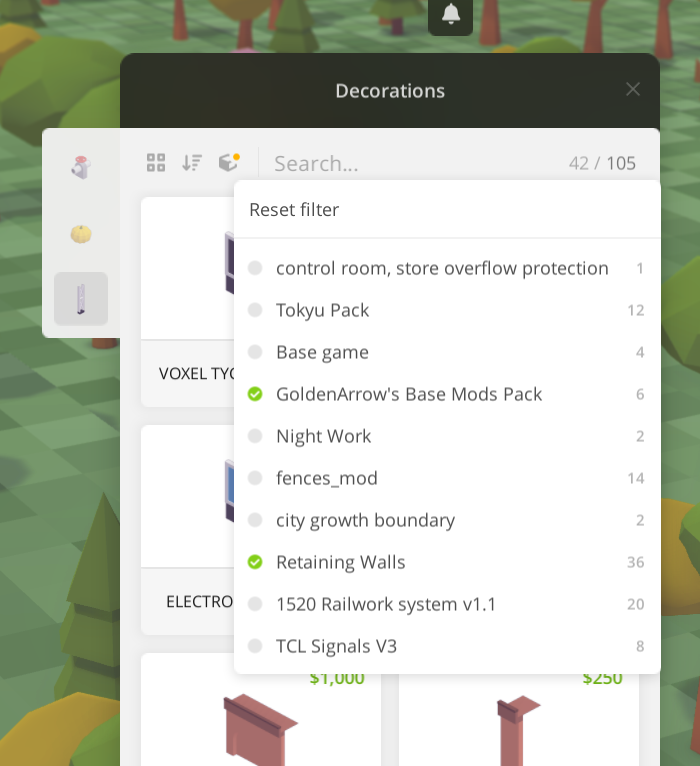
Buildings now can be sorted: alphabetically, by price, or by size.

Or you can choose to display buildings only from specific mods.
The new compact view option allows fitting the maximum amount of buildings into view for a quick glance.
The palette also now features text search.
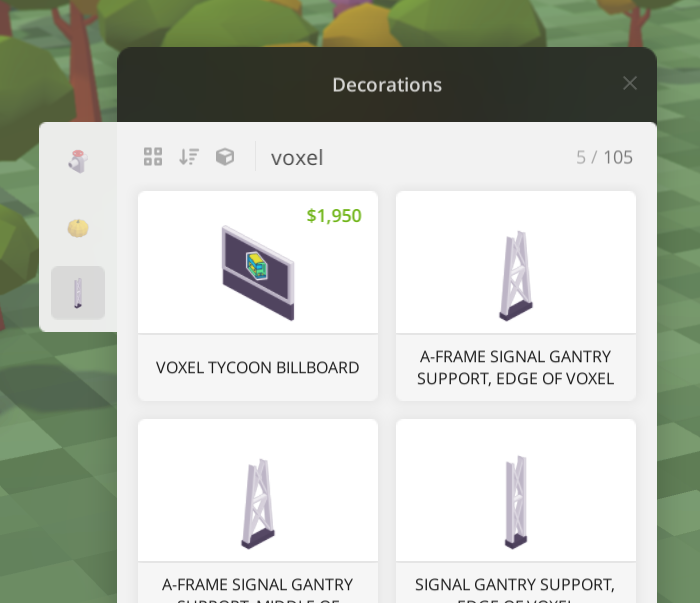
All of these features are available not only for decorations but for any type of building.
And the last thing: to help you keep track of where you've left the window now opens already scrolled to the last built object.
Conveyor improvements
In this update, we've addressed the issue with misdirected conveyors. It was easy to mess it up and make conveyors face each other, blocking the flow of items. It was especially annoying when this happened just inside device inputs and outputs, because it's really hard to stop, making players scratch their heads over why items not going in or out of the device.
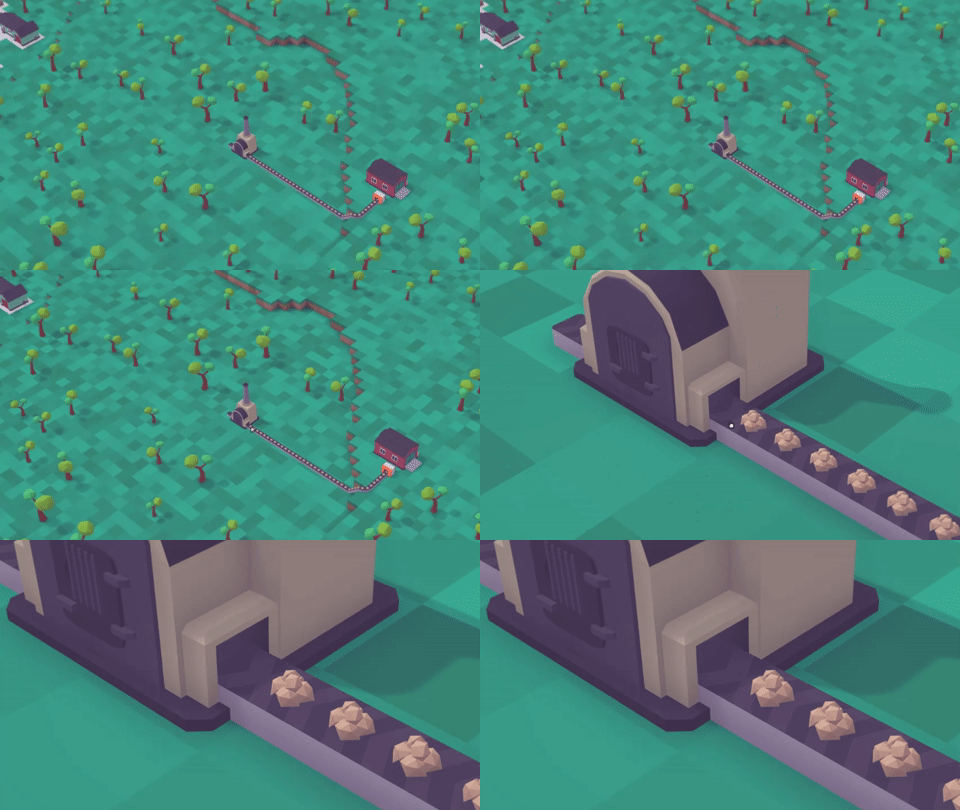
We've addressed this in two ways.
First, we've greatly improved the direction auto-detection algorithm which decides in which direction the conveyor belt should move after build.
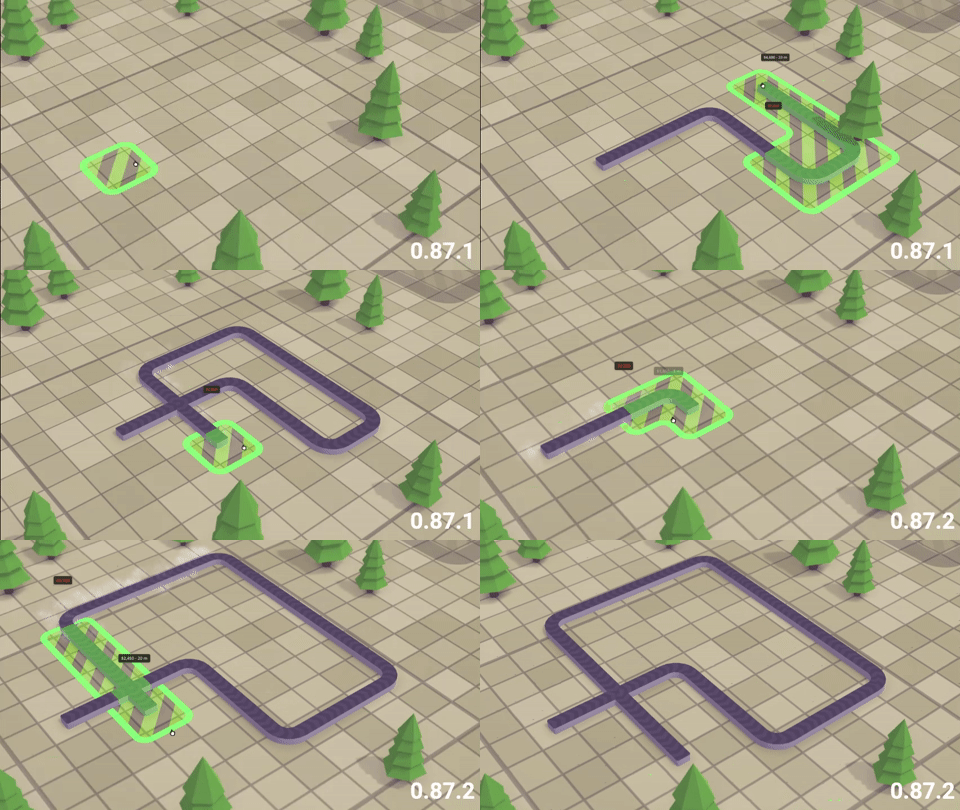
Second, we've added the easy-to-spot indicator that will pop up in the exact place of misdirection. Even more, just click on it and directions will be fixed automatically.
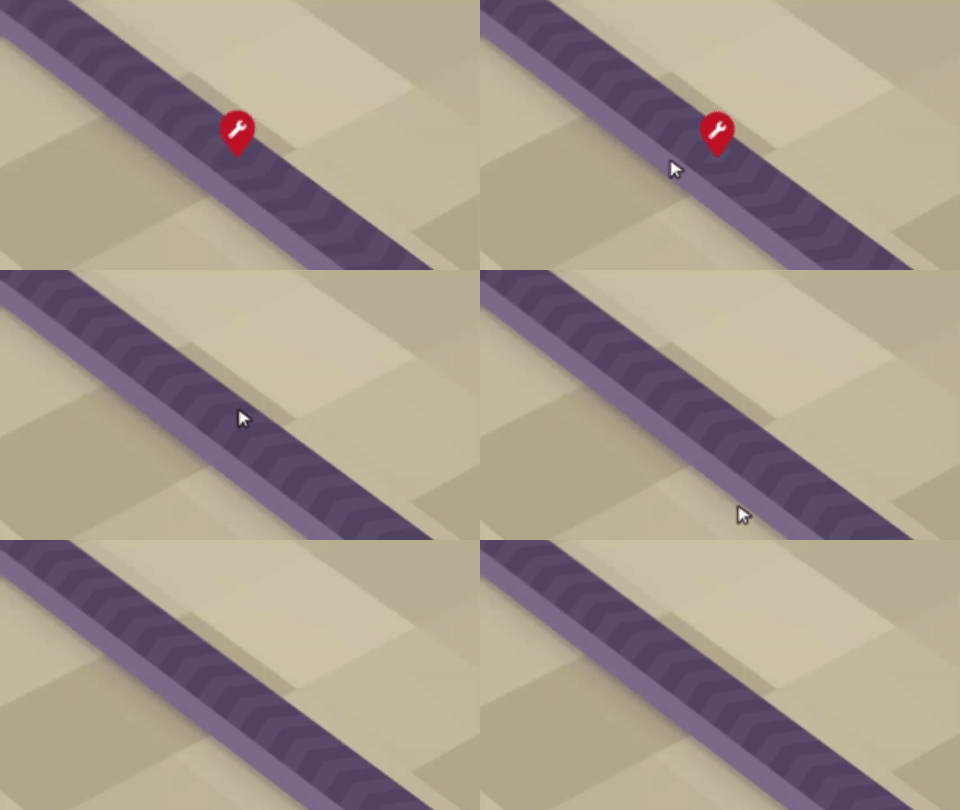
These changes should greatly reduce the amount of confusion and tedious work manually switching conveyor directions.
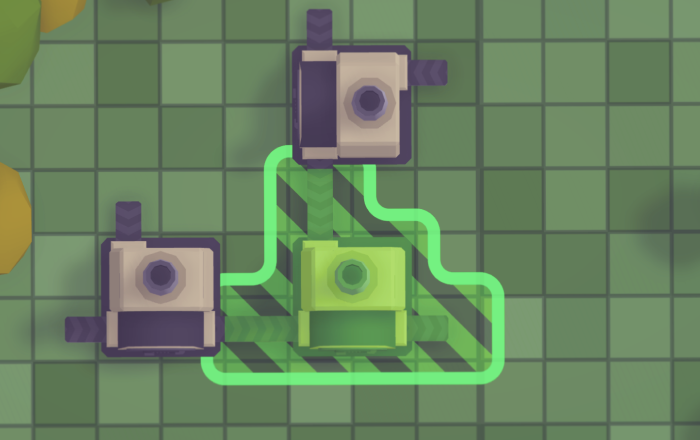
Another improvement allows you to build devices closer to each other without the need to demolish conveyors.
Other QoL updates
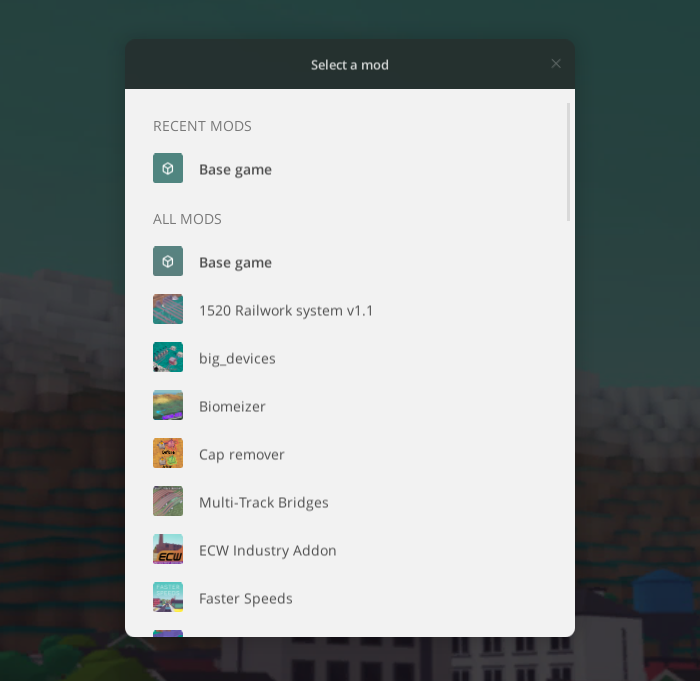
Search and toggle all mods when creating a new game
Sometimes you want to play a different set of mods or create a vanilla game with no mods at all. It’s already possible by toggling individual mods in the New game window.
However, if you have a really big amount of mods installed, toggling mods back and forth starts to be cumbersome. So we updated the Mods tab with a search bar and Toggle all options.

Configure displayed budget totals

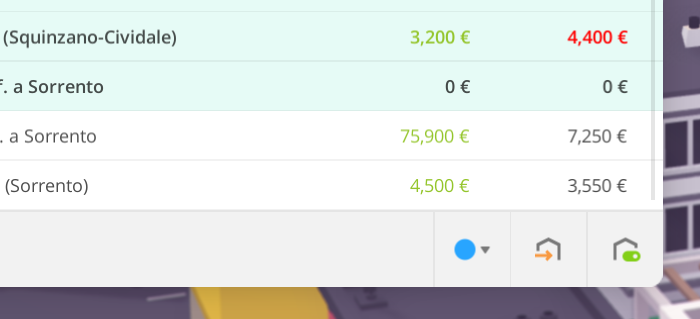
One-time money spending like laying out a long railroad or building a factory may affect the understanding of your current month-to-month balance. Now you can tune the total display for your needs by choosing what exact budget items should count in total numbers.
Distance to nearby signals
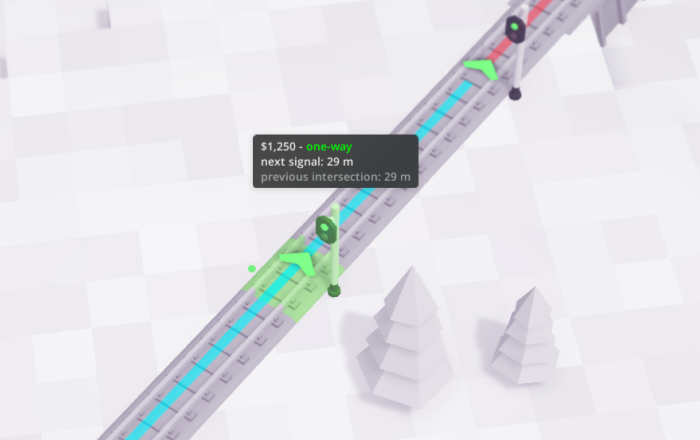
When placing signals, there's a new option that will allow you to enable displaying a distance to the closest signal or intersection. Along with the already existing auto-placing feature, this should help to distribute your signals as desired.
Non-electrified parts highlight
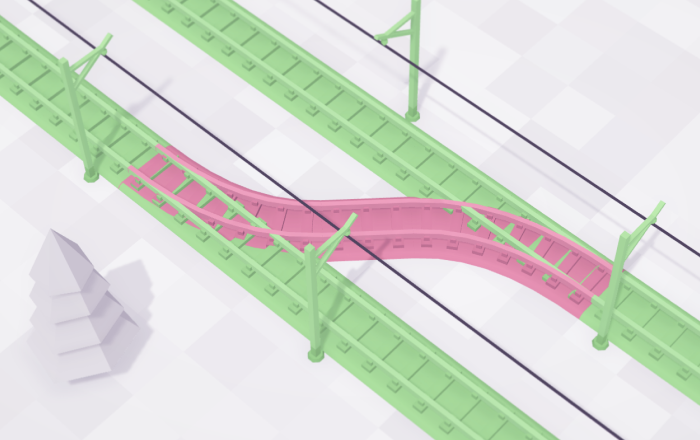
When using the electrification tool, non-electrified parts of the track will be highlighted in red. No more trains stuck because of 1 tile missing wires!
Fleet window
Besides the ability to mass send vehicles to depots and mass assign vehicles to a route, there’s a new action to mass-release vehicles from depots.
To accommodate more actions added, we’ve redesigned the actions area - and not only in a visual way. Now send and release actions behave as toggles and can be canceled if required.
Also, we've fixed how vehicles are sorted by their names. Now it should look like a human would expect.
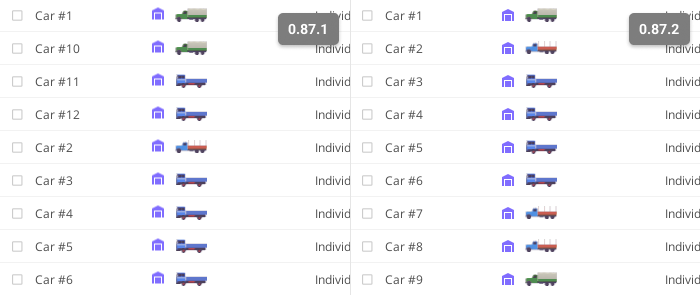
This also applies to route names.
Mass replacement
Replacements now can be paused - each separately, or all at once, for more precise control over your spendings.
Also, replacements now will preserve the vehicle’s cargo where possible, and we’ve fixed annoying notifications spam happening when a vehicle can’t find a depot for replacement.
Error handling
Previously, if a mod breaks the game while it loads to the main menu, the game will just be stuck forever, until you unsubscribe from the problematic mod. And you are left to wonder which of your 100 mods collection is the bad one.
Now the game will detect such problems, and then show you a detailed dialog, letting you know what was happen, and suggesting actions based on context.

For example, it will allow you to just disable the problematic mod and restart the game, or go to the Workshop page to let the mod author know that there's a problem.
By the way, the in-game bug icon got a promotion! Now, if an unexpected error will occur during play, the red banner will be displayed. Click on it will open a new developer console.

Yes, the game now has a developer console, which could be toggled at any point with Ctrl + `. It displays game logs in real-time and also will accept user commands in the future.

You can also disable the bug banner reappearing from there for the current play session.
Modding updates
Categories
There's a new `.categories` asset that is used to organize buildings in the builder palette. Feel free to assign built-in categories to your assets, or even add your own categories. Also, let us know if you think some new categories should be added to the base game.
Important device asset change
The direction of device inputs and outputs now should be explicitly set in assets. Please update your mods or they won’t work as expected.
Load only needed assets in Asset Editor
You can now choose what pack to load in Asset Editor to significantly improve load times.
Decorations animation support
`.decoration` assets now can be animated in the same manner as devices or mines.

Spotlight direction
Previously, buildings technically could have not only point lights, but also spotlights. However, there was no way to set the direction where a spotlight is pointed, which made them pretty useless. Now, this is fixed.
Cars smoke support
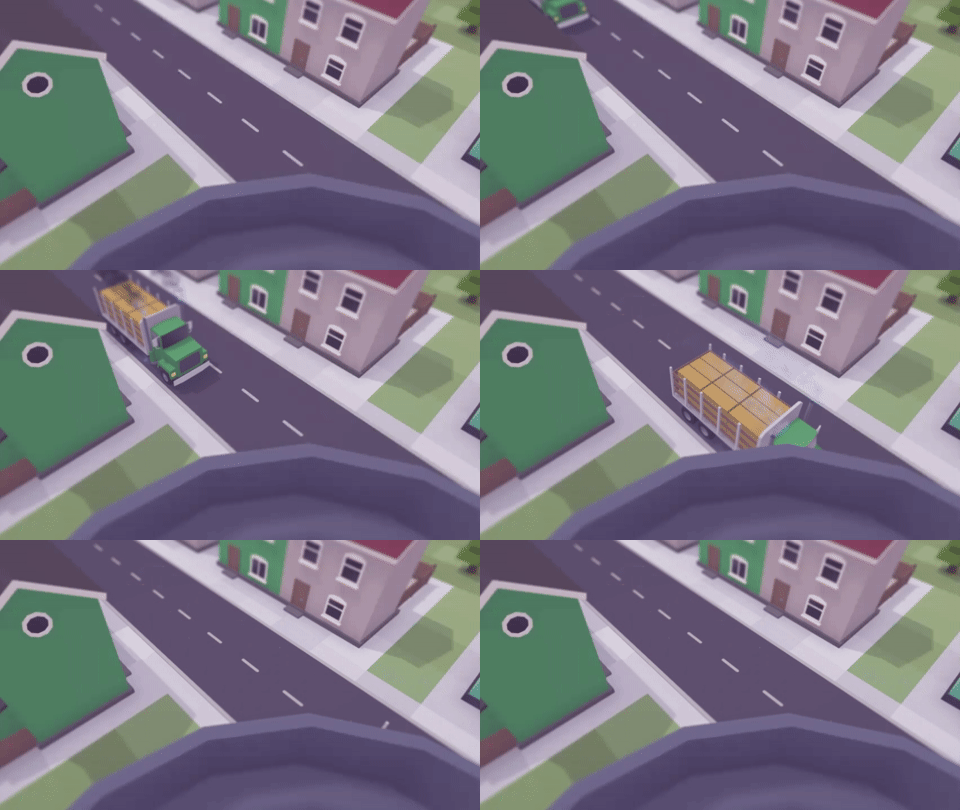
Joining trains, road vehicles can emit smoke now.
Wrapping up
This update is the minor one, but it brings a lot of useful improvements and fixes. We've covered the most important changes here, and if you want more, check the full changelog for this update.
In the meantime, we keep working on new gameplay features, and we hope to present them to all of you soon. Thank you and see you next time!
Update 0.87.2.1 beta
— Fixed incorrect signal distance calculations
— Fixed vehicle stats are no longer displayed when hovering over a vehicle preview in the tech tree window (https://github.com/voxeltycoon/issues/issues/982)
— Fixed UI displays incorrect stats and console spamming warnings for electrified trains
— Routes now sorted by name in human-like manner
— Set correct default currency and names assets for es, pl, sv, and tr locales
— Added Clear button to console
— Modding: Building liveries now can have different displayed names: use uri#livery_name:DisplayName format
— Modding: Added backward compatibility for Liveries2 property of the .conveyorconnector asset
Update 0.87.2.0 beta
— You can now rotate and scale decorations — it's time to get creative!
— Inputs and outputs in devices are now fixed
— Made renaming cities significantly more affordable
— Trains that have both electric and diesel/steam engines now able to move on non-electrified rails
IMPROVEMENTS
— Builder window: Improved with categories, search, filtering, sorting, and view options
— Builder window: Scroll to last placed building on open
— Conveyors: Improved conveyor direction prediction logic — now it should require much less manual direction changes
— Conveyors: Mismatching directions will be highlighted with special indicator, clicking on it will automatically fix direction
— Conveyors: Devices now can be build closer to each other without need to demolish conveyors
— You can now choose what budget items should contribute to displayed total
— Fleet window: Added ability to mass release vehicles from depot
— Fleet window: Added ability to mass cancel send to depot
— Fleet window: Vehicles are sorted by name in the way human would expect
— New game window: Added search by mods
— New game window: Added ability to toggle all mods
— Mass replacement: Added ability to pause/resume and remove all current replacements
— Mass replacement: Added ability to pause a replacement
— Mass replacement: Replacement will preserve cargo if possible
— Mass replacement: Reduced notification spam if vehicle can't find a depot for replacement
— When placing a signal, distance to closest neighbors will be shown
— Added highlight of non-electrified parts of the track when using electrification tool
— Added option to configure world grid step
— Added possibility to rename depots and labs
— Added hint for supporter (yellow) drivers, mayors, etc.
— Hitting F1 now will leave indicators on screen and hide other UI, to hide indicators too hit F1 again
— Clicking on the current research name in the Lab window will reveal the research in the tech tree
— Vehicle units which is not compatible with the current consist won't be hidden but instead grayed out with informative message
— You can now teleport to the passengers destination by clicking on their icon in the station window
— Passengers weight reduced from 1t to 150kg
— Hotkeys on loading screens are now reflect user changes to bindings
— Loading screens now show arbitrary messages instead of listing loaded assets
— If game fails to load to main menu because of a mod, the mod will be automatically disabled, and game will be restarted
— New asset load error window added providing extended info and actions based on context (like Verify files integrity or Go to Workshop page)
— Added debug console ( Ctrl + `)
— New red banner will be shown at the top of the screen on critical errors, clicking on it will open the console
— Improved windows auto-layout to prevent them from being partially obscured by other UI as much as possible
FIXES
— Fixed coupling issues with DB ICE 3 and other MUs
— Fixed flipped engine with tender are displaying incorrectly
— Fixed task units can't be changed after other units were removed and task became locked to unexistant unit
— Fixed Plant trees tool always places only the first possible decoration for this biome
— Fixed game freezes when selling huge amount of vehicles at the same time
— Fixed modern vehicles can be sent or copied to tier 1 depots
— Fixed vehicles can be replaced to modern ones in tier 1 depots via mass replacement
— Fixed 0-sized buildings can be placed in closed regions
— M1 players: please give this build a try and let us know if there're memory leak problems or crashes
MODDING
— You can now choose what pack to load in Asset Editor to significantly improve load times
— Added .category asset which is used by builder to categorize builings
— Decorations now can be animated
— Spot lights now can be rotated
— Added smokes support for trucks and buses
— Conveyor max length now can be set in asset
— Direction of devices inputs and outputs are now strictly set in assets
— Asset URIs are no longer case sensitive
— Fixed rare case where StorageNetworkBuilding siblings not marked dirty on built (thanks Nebruzias!)
— 0Harmony.dll updated to 2.2.2
— Added Font Awesome 6
— Unity updated to 2021.3.9
Update is just around the corner
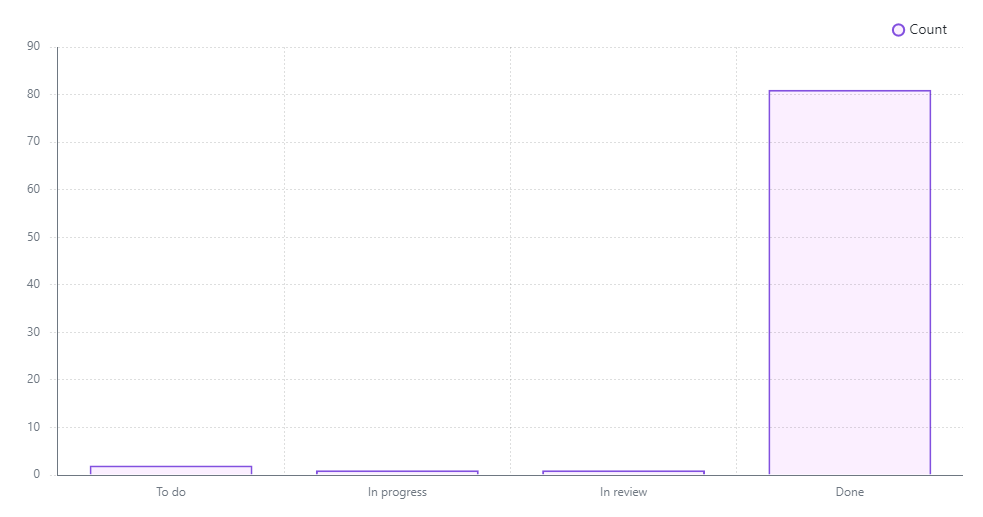
Progress on the update so far
Actually, the main issue that is blocking its release is an annoying bug in the version of Unity engine we are currently using. This bug completely breaks UI and there's no easy workaround known, so we have to wait until Unity guys fix it.
Good news are that they are aware of this issue and already working on a fix. We expected it to land during next two weeks.
Just as the fixed version of the engine become available, we'll be able to push the next update to the beta branch. Of course, we will let you know about it with a separate announcement. Stay tuned!
First year recap! 🎉
Wow!
We remember that mix of excitement and fear boiling inside our souls on the day when we hit the Release button like it was yesterday. And we are not sure what of those feelings were prevailing at that moment!
Fortunately, you liked what we've created. You gave us amazing reviews, bringing the Voxel Tycoon to the Very Positive overall review level. You wrote a ton of helpful feedback on our bug and suggestion trackers. You made guides and videos to help other players. You created lots of creative mods, expanding the game with new content and gameplay. You helped to make the Voxel Tycoon what it is today.
Thank you very much for that 💜
However, our ride is far from over. There're a lot of things yet to be done on the way to the full release (aka 1.0). And we hope you will find it joyful to experience this adventure together with us.
The first year in numbers
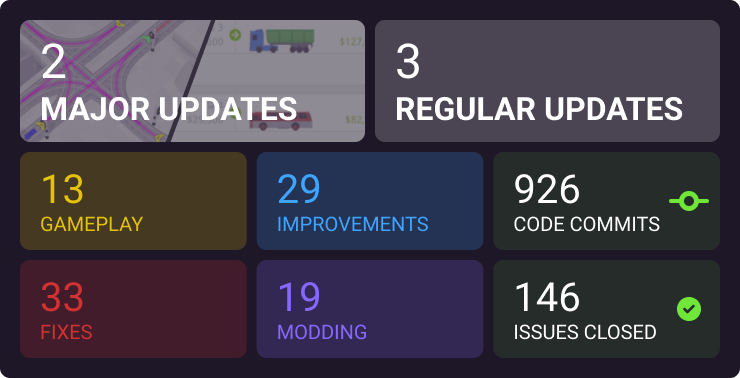
Not bad, but not enough. We want to do more in the Year 2.
What's next
The second year of the Voxel Tycoon Early Access promises to be more feature-rich and productive. Hopefully, over time we gain a better understanding of how to properly manage the development process. The hustle and bustle of the release have settled down, and now we can speed up our work without compromising quality.
In the coming months, you can expect the release of features that were discussed in the previous post: the demands rework (aka Contracts) and the vehicle obsolesence. And later this year we expect to introduce the long-awaited rails and roads rework, including level crossings. Of course, this is not everything that we've prepared for you in the Year 2, so stay tuned!
Bonus: the first image of Voxel Tycoon ever known
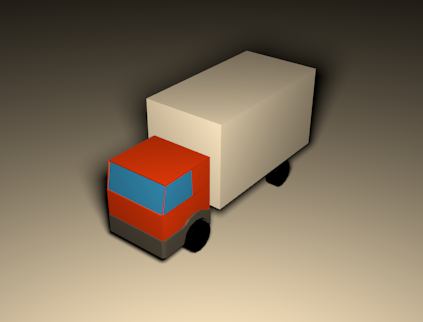
Hello World!
Update 0.87.1.8 beta
Update 0.87.1.6
— Modding: Unity updated to 2021.3.0
Update 0.87.1.6 beta
— Modding: Unity updated to 2021.3.0
Development update
At the moment, we are working on several things that will find their way to Voxel Tycoon over the next several updates.
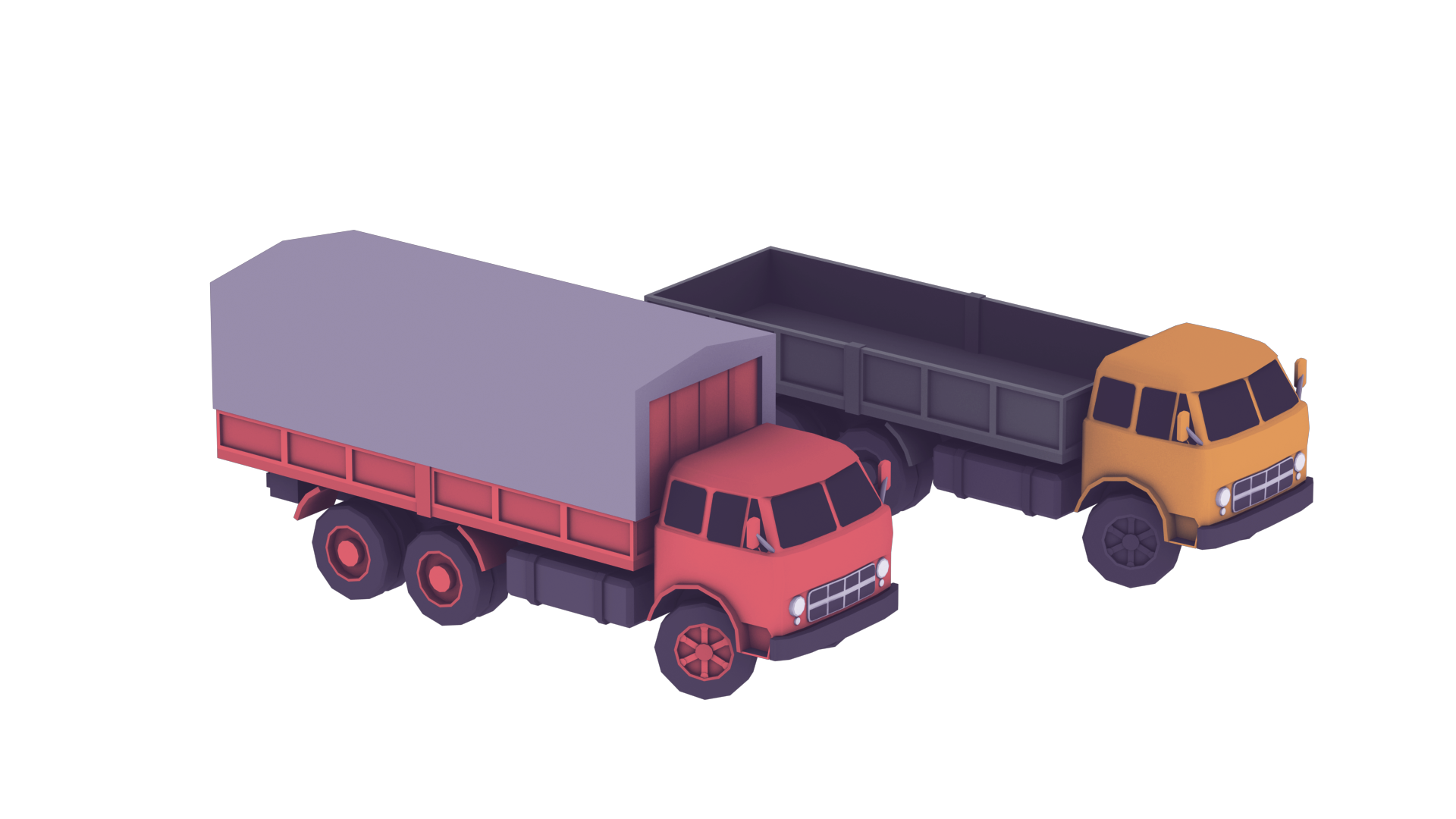
Vehicle wear and obsolescence
With the previous major update, we've introduced mass vehicle replacement. That feature finally prepared the grounds for something we wanted to add for some time already: the aging of vehicles.
Vehicles will wear over time depending on their usage. As they become more old, they will start require more often maintenances, resulting in increasing costs and idling times.
Besides that, vehicle obsolescence will be introduced. When you progress through the game and unlock newer vehicles, using older ones will become more disadvantageous than it is now. We'll talk about how it will work closer to the release of that feature.
Of course, both wear and obsolescence could be turned off in gameplay settings for more relaxed gameplay.
Demands rework
Another thing that requires some attention is how demands work. Demands are part of the core mechanic of the game, and it's pretty important to have them entertaining: not shallow, but not too complex at the same time.
Demands already have several mechanics: their economy is based on the demand/supply balance, they grow if you supply them well, or degrade if you don't. Also, they go bankrupt if you don't supply them at all for some time.
The last bit became a source of frustration for players. Initially, the idea was that saving a business from bankruptcy will serve as a motivation to extend your transport network. However, players quickly get overwhelmed with a lot of businesses here and there, all demanding to be saved.
A bankruptcy of a business currently has no direct effect on your company and it's actually often expected: for example, you have no access to required resource yet and plan to gain it later. Still, it gives players feeling of failing to keep up with the game.
To improve this situation, we are working on something we call Contracts. With contracts, you are not obligated to deliver everything everywhere by default. Instead, you explicitly decide if you want to supply a specific business. By signing a contract with a business you're committing to satisfying its needs long-term. This way, you may no longer care about other businesses until you are actually ready to supply them.
Another related change is that now you're in control of when to upgrade your contract to the next level of demand, so you can do it only when you're sure you want to increase goods flow.
On another side, violating a contract — ie. not supplying a business for a long time — will result in a penalty. We'll talk about it in one of the next posts.
Also, with this rework (or shortly after) we want to introduce a window where you'll be able to see all your demands and corresponding information at a glance.
Addressing community issues
While many of you love the game in its current state — thank you 💜! — we hear those voices who expected to get more in a shorter periods of time.
We keep working to make the rate of updates more frequent and consistent. Our team consists of just 2 guys, and right now we are in the process of hiring more people. This has a delayed effect since new members need some time to get comfortable with the development flow. We'll make everything possible to speed up this process.
Another major issue is the lack of new information from us between updates, resulting in the feeling that the game has gone dead. First, we want to assure you, that Voxel Tycoon by no means is going to become abandoned. This game is the project of our lives. We have a big roadmap that reflects what we want to see in the finished game.
As mentioned in the intro to this post, we'll do regular posts on the current state of things from now on, to make the development clear and transparent for you, our beloved players.
Oh, and one more thing that bothers many of you: when the level crossings will appear in the game. We are working on it! As we mentioned in previous posts, level crossings depends on the rails and roads rework which is currently in active development in parallel with the features described above.
That being said, this is our first game, and it's pretty complex in both technical and management ways. We are constantly learning the better approaches on how to handle all the things. There's a lot to do, and we are committed to making it real. Thanks for taking this journey together with us! Please Join our Discord and share your thoughts.