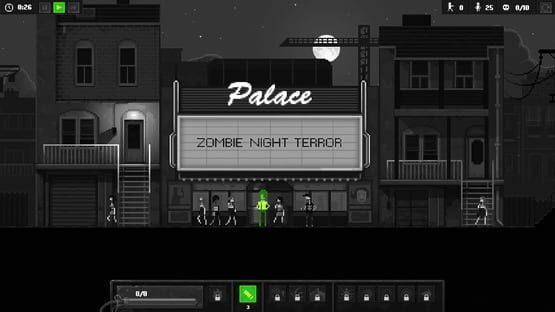

Zombie Night Terror
Patch 1.1.10
<*>Fixed end level screen textures being white
Patch 1.1.9
<*>Fixed a regression with Overlord not working on moving platforms
<*>Fixed Overlord Scream direction inverted after using a Spit on the overlord
<*>Fixed Overlord Scream effect not destroyed correctly
<*>Cleanup some useless UI texture
Patch 1.1.8
<*>Added an error message on startup if steam could not initialize correctly
<*>Added a cut-scene at the end of Zombie Testing Facility to prevent killing the Tank
<*>Fixed human characters unable to attack in tight spaces
<*>Fixed zombie stepping onto walls in Zombie Testing Facility
<*>Fixed 3rd and last boss being black on some mac
<*>Fixed loading screen changing contrast & brightness while loading
<*>Fixed Zombinator reacting to scream
<*>Fixed zombies floating in the air after a sprint attack on a breakable floor
<*>Fixed blood effect on Michelle in Blood in the Scale cut-scene
<*>Fixed spits start position not synced with Overlord position
<*>Fixed Overlords sliding down slopes when created at specific positions
<*>Changed external snipers orientations in The Living Horde
<*>Fixed exploit in The Living Horde
Level Editor Beta is Now Available!
We’re thrilled to let everyone know that the Level Editor Beta is now available for anyone whom owns the game on Steam! This new Level Editor feature allows players to create their custom levels and import official new ones into their game.
The Level Editor Feature is currently only available in Beta Form though, as we’re still working on finalizing everything and improving it to a state that we feel everyone will be happy with. Therefore you can expect that there will be bugs with the feature, and that using it won’t be the smoothest experience for now. Because of this we decided to place the Level Editor Beta on its own Special branch here on Steam, so that those interested in checking it out can do so, but it won’t interfere with everyone else’s enjoyment of the game.
To utilize the level editor, you must first access it on Steam. Here’s a brief breakdown on how to access the right branch and enable the feature:
- Go to Zombie Night Terror in your Steam Library
- Right click on the game
- Scroll down the available options in the resulting drop-down menu and then select "properties."
- After this you must then go to the "betas" tab and click on the downward facing arrow key under the “Select the beta you would like to opt into:" option
- Select “level_editor” from the resulting drop-down menu
- Finally click "close" and you will know that the process was successful when the game reads as "Zombie Night Terror [level_editor]" in your Steam library
Once you download the update associated with switching to the right branch on Steam, you will be able to access the Level Editor Feature from within the game. We’re still working on finalizing the feature, so there are currently some limitations as to what players can do with it (besides creating custom levels and importing official new levels). Here’s a brief breakdown of the current limitations associated with the Beta:
- No sharing via Steam Workshop for now
- Chapters edition is not ready yet
- The UI is not final (and we know that it’s currently ugly)
- Some tools are not included yet (like line & rectangle painting)
- Challenges are not useable
- Please expect to run into a lot of bugs whilst utilizing the Level Editor Beta
- We’re still working on the final version and would really love all of you feedback as it would greatly help us to deliver the best Level Editor that we can for everyone to enjoy!
We really hope that you guys will enjoy what the feature already has to offer and we can’t wait to hear all of your feedback! So please share any thoughts that you might have about the Level Editor in the Beta section of the game’s Steam forum here http://steamcommunity.com/app/416680/discussions/2/ or feel free to write to us directly at feedback@zombienightterror.com.
Thanks a million again for your continued support and have fun creating your own devilishly clever levels you undead masterminds!
Patch 1.1.7.1
- Fixed a regression preventing save files from being created at first launch
Patch 1.1.7
<*>Fixed escape key not working for some players, preventing the pause menu from opening
<*>Fixed sniper sometimes not being able to fire from some angles when a few zombies where stacked together
<*>Balanced sniper in to counteract its increased firing efficiency and reduce difficulty in some levels
<*>Fixed sniper blood contamination animation not synchronized with the main animation
<*>Fixed incorrect material on the final boss resulting lightning issues
<*>Reduced last boss challenge timing to 2m30s from 5m30s to make it more challenging (it was not)
<*>Changed OpenGL backend on Mac OS to prevent black screens on startup
Patch 1.1.6 hotfix
Changelog:
[List]
<*>Fixed controls not being saved correctly between sessions
<*>Fixed Tank dying from a lower height than intended when jumping
Patch 1.1.5
Sorry for the inconvenience.
Patch 1.1.4
<*>Controls menu now shows duplicated inputs to help resolve conflicts
<*>Updated exploding zombie visual effect
<*>Slightly increased zombies brightness
<*>Fixed Fast & Ravenous first cutscene
<*>Fixed Chemist Boss jumping in place when taking damage from a Tank Spit
<*>Fixed exploding crawlers incorrect position resulting in explosion not dealing damage correctly in tight spaces
<*>Fixed explosion not pushing back characters when kill by the explosion
<*>Fixed explosion dealing damage through walls in some conditions
<*>Fixed jump preview showing invalid hit icons in some conditions
<*>Fixed right click not deselecting mutation in the ending cutscene
<*>Fixed explosion affecting pliers in Murderous Cortege
Patch 1.1.3
<*>Fixed tooltips not working in main menu
<*>Prevent the car from going too far in "Fast & Ravenous" level (this should really work this time!)